UV Inkjet Printer features high-resolution printing, instant curing and broad substrate compatibility. However, the nozzle aperture of the piezoelectric printhead is measured in microns, and UV ink tends to cure when exposed to ultraviolet light. This article, Troubleshooting And Emergency Handling for UV Inkjet Printer, elaborates on common fault identification and emergency treatment methods, helping production line operation and maintenance personnel quickly locate problems and reduce downtime losses.
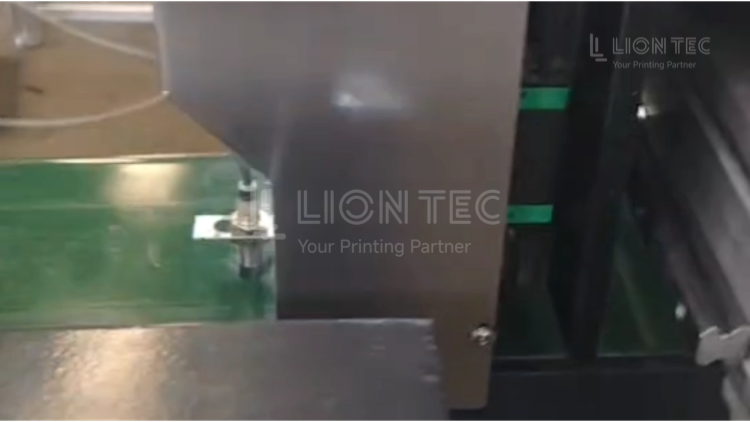
Troubleshooting and Emergency Handling
I. Observe Fault Phenomena and Record Device Alarm Information
- Record the fault code displayed on the screen, defective printed samples and production line working conditions.
- Distinguish fault phenomena including missing nozzles, ink splashing, missing printing, incomplete curing, ink circuit leakage and equipment alarm shutdown. Confirm the fault first and avoid blind operation to prevent secondary damage to the machine.
II. Simple External Inspection
- Check the power supply, ground wire and supply voltage to ensure stable voltage.
- Inspect the photoelectric sensor, clean the sensing head, check whether the fixing bracket is loose, and test if the indicator light lights up normally when products pass by.
- Check the distance between printhead and workpiece. Vibration on the production line may cause distance deviation.
- Check the UV curing lampshade, and wipe off dust on the lampshade with a dust-free cloth.
III. Emergency Handling for Ink Circuit and Printhead
- Pause the production line and printing, run the flash spout function of the equipment for 2~5 minutes.
- Perform pressure test and observe the ink output status of nozzles.
- Dip dust-free cloth with original special UV cleaning liquid, gently wipe ink crust on nozzle surface in one direction. Do not rub back and forth or scrape nozzle holes with hard objects.
- After wiping, print the nozzle test strip to check whether missing nozzles are recovered.
- If repeated cleaning fails, check ink sacs, pipeline connectors for leakage and whether the filter is clogged.
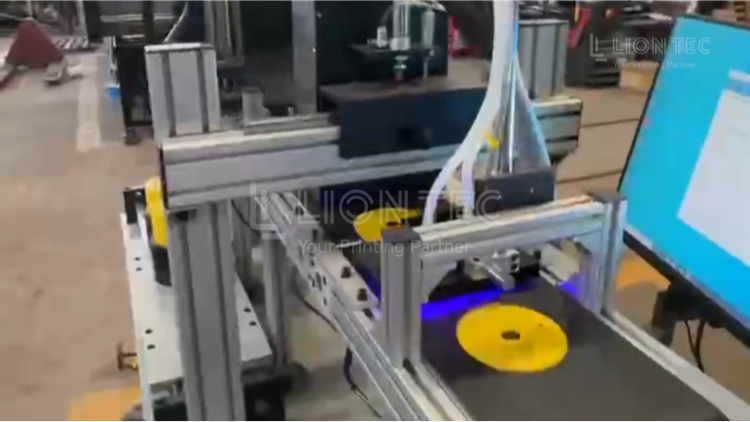
IV. Special Emergency Handling for Poor Curing
- Clean the UV lampshade.
- Increase the output power of the UV lamp on the equipment parameter interface.
- Temporarily reduce the assembly line speed and perform sample printing tests.
- Gradually restore the production line speed after the samples meet curing standards.
- If the ink remains uncured after power adjustment, check the cumulative working hours of the lamp tube and prepare to replace the UV lamp.
V. Fault Grading Judgment: Decide to Continue Production or Shut Down for Repair
- Production can be continued temporarily: if printing quality meets requirements after cleaning and parameter adjustment, mark the fault and conduct in-depth maintenance after the shift ends.
- Mandatory shutdown for repair: in case of physical damage to the printhead, mainboard error, massive ink leakage in the ink circuit or circuit alarm, shut down the machine immediately, contact technical support, and retain defective samples and equipment logs.
VI. Fault Recording and Review
- Fill in the equipment operation and maintenance ledger, record fault type, trigger cause, handling method and processing duration for subsequent preventive maintenance.
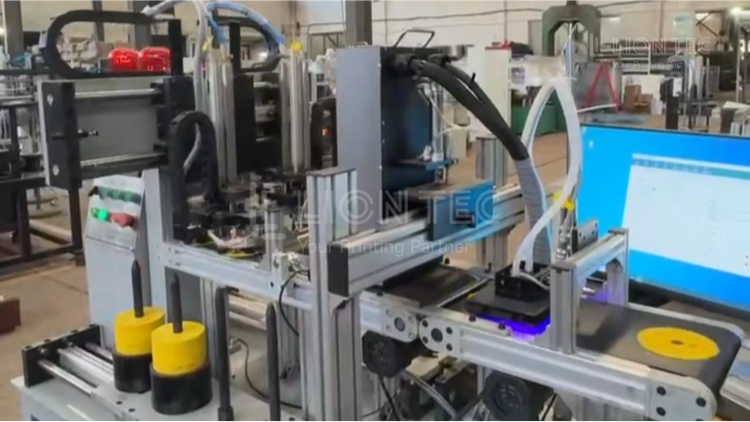
Advantages of Troubleshooting and Emergency Handling
1.Shorten production line downtime and reduce production loss.
Most minor faults can be handled within 3~10 minutes without waiting for after-sales engineers, avoiding full-line shutdown and product accumulation. Especially for 24-hour continuous production lines such as packaging, pipe and aluminum foil rewinding, rapid emergency response helps reduce rework caused by missing printing in batch products.
2.Protect the core printhead and cut consumable replacement costs.
Standard troubleshooting procedures help distinguish “surface ink crust clogging” from “permanent printhead damage”. It prevents printhead scrapping caused by blind disassembly and harsh cleaning, extends printhead service life and lowers spare parts procurement expenses.
3.Reduce outflow of defective products and ensure product traceability compliance.
Timely detect missing printing, blurring and poor curing issues, preventing products with unqualified marking from entering the market. It avoids risks of rework and returns arising from customer complaints and failed regulatory sampling inspections.
4.Build standardized operation & maintenance experience and reduce reliance on professional engineers.
Operators and maintenance staff can master standardized troubleshooting steps, establish equipment fault ledgers, predict frequent faults in advance, and shift from emergency repairs to preventive maintenance.
Conclusion
Most on-site faults of UV Inkjet Printer are simple issues that can be quickly resolved. Establishing standardized troubleshooting and emergency handling procedures is a core measure for manufacturers to reduce downtime risks and stabilize marking quality.
The LIONTEC industrial inkjet technical team provides on-site operation & maintenance training and regular equipment inspections. We customize UV printing operation and maintenance solutions for production lines on various substrates, including painted metal surfaces, aluminum foil, films and electroceramics.