On industrial inkjet printing production lines, one of the most common scenarios for UV inkjet printer operators is the screen suddenly popping up an error code and the printing action stopping abruptly. Each error code is the “diagnostic language” of the UV inkjet printer’s self-diagnostic system. Understanding System Error Codes on UV Inkjet Printers allows you to pinpoint the problem direction within minutes, avoiding blind disassembly or long shutdown waits.
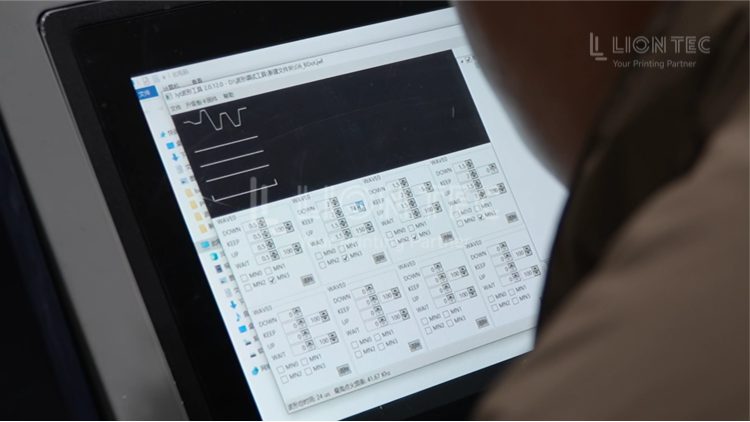
System Error Handling
I. Record Complete Error Information and Preserve On-Site Data
- When the device pops up an error, immediately screenshot or manually copy the complete error code. At the same time record: line speed, ambient temperature and humidity, ink batch number, and cumulative operating hours of the equipment. Export the built-in alarm log.
- Do not restart the device immediately. Restarting will lose real-time status data and make fault localization harder.
II. Cross-Reference the Original Manufacturer Code Manual and Determine Fault Category
- Open the original manufacturer code manual that came with the device, match the error code, and classify whether it is a hardware, ink circuit or communication fault. Preliminarily define the troubleshooting scope and assess the fault risk level.
- For high-risk errors involving printhead power supply or high-voltage circuits, live disassembly is strictly prohibited.
III. Quick On-Site Visual and Basic Status Inspection
- Visually inspect item by item according to fault category: whether wiring connectors are loose, whether sensor surfaces are contaminated with ink, whether ink lines have leaks or bends, whether filters have been overdue for replacement, and whether ink tank liquid level is normal.
- Clean surface UV ink stains and foreign objects to rule out simple external causes.
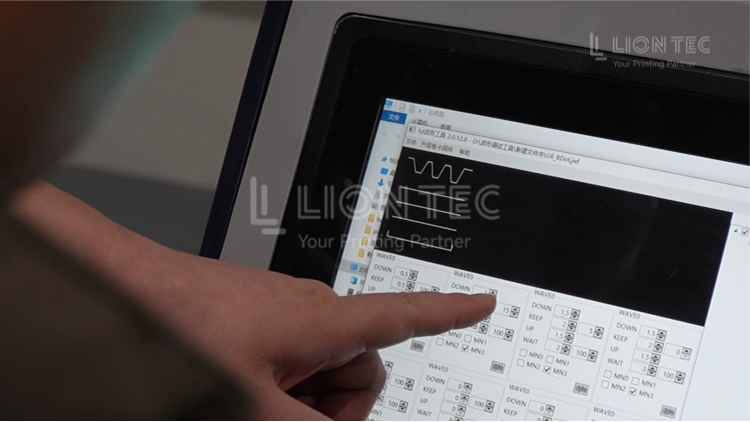
IV. Execute Module-Specific Parameter Inspection and Verification
- Ink circuit type: check real-time negative pressure / positive pressure curves, bleed air and flush the ink circuit.
- Hardware sensor type: test sensor signal feedback.
- Communication type: check Ethernet cable and board connections, verify firmware version. After completing the tests, observe whether the error clears.
V. Emergency Test Run and Verify Repair Effect
- After troubleshooting, run the equipment idle and observe whether the error reappears.
- If no alarm appears during idle running, perform a test print on samples to check code clarity and continuity. Confirm normal quality before reconnecting to the production line.
VI. Archive to Maintenance Log and Contact Manufacturer Technical Support When Necessary
- Record this fault information into the operations and maintenance ledger.
- If the error persists after repeated troubleshooting, organize error screenshots and log files, and submit them to the technical team for remote diagnosis. Arrange on-site service if necessary.
Advantages of Standardized System Error Handling
1. Shorten emergency repair downtime
Understanding error codes allows you to skip broad blind searches and directly identify the faulty module, reducing time spent inspecting components one by one and lowering production line shutdown losses.
2. Protect high-value core components such as printheads
UV printheads are precision consumables, and many errors are early warnings from the equipment. Handling them promptly according to code guidance prevents dry firing, negative pressure loss control and ink backflow, reducing printhead scrapping rates and lowering equipment operation and maintenance costs.
3. Stabilize print quality and reduce defective products
Before most errors occur, hidden defects in print quality have already appeared. Timely handling prevents batch products from being coded with substandard marks.
4. Build an equipment maintenance ledger
Recording each error code, occurrence time, working conditions and resolution method allows you to identify high-frequency faults, perform targeted preventive maintenance, and reduce recurrence frequency.
Conclusion
The ability to handle UV inkjet printer error codes directly affects the continuous operating efficiency of production lines. Manufacturers should incorporate error code interpretation and handling into standard operator training, and establish equipment fault code quick-reference tables and maintenance archives, so that every error code becomes an operation and maintenance signal that can be responded to rapidly.